Registration & Login
1. Register a New Organization
【To use the SpiderSheet product, you must first register. After successful registration, you can log in to use the product】
Step 1: Open the product URL: https://cloud.spidersheet.cn, enter the login interface, select the registration hyperlink below to enter the "Register" new organization page.

Step 2: Registering a new organization is divided into registration by phone number and registration by email. Simply fill in the information.
- Register with Phone Number
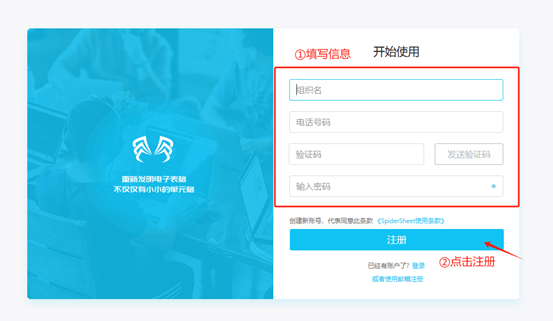
- Register with Email
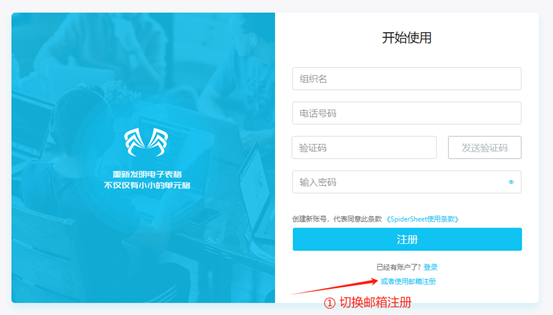
Step 1: Click "Or register with email" at the bottom of the popup
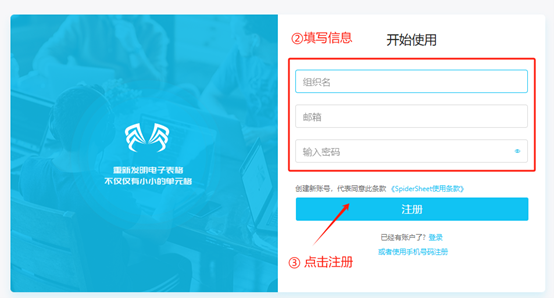
Step 2: Fill in the information to complete registration
2. Actively Invite Users to Join Organization
Step 1: Log in to the administrator account, click on System Management in the upper right corner profile
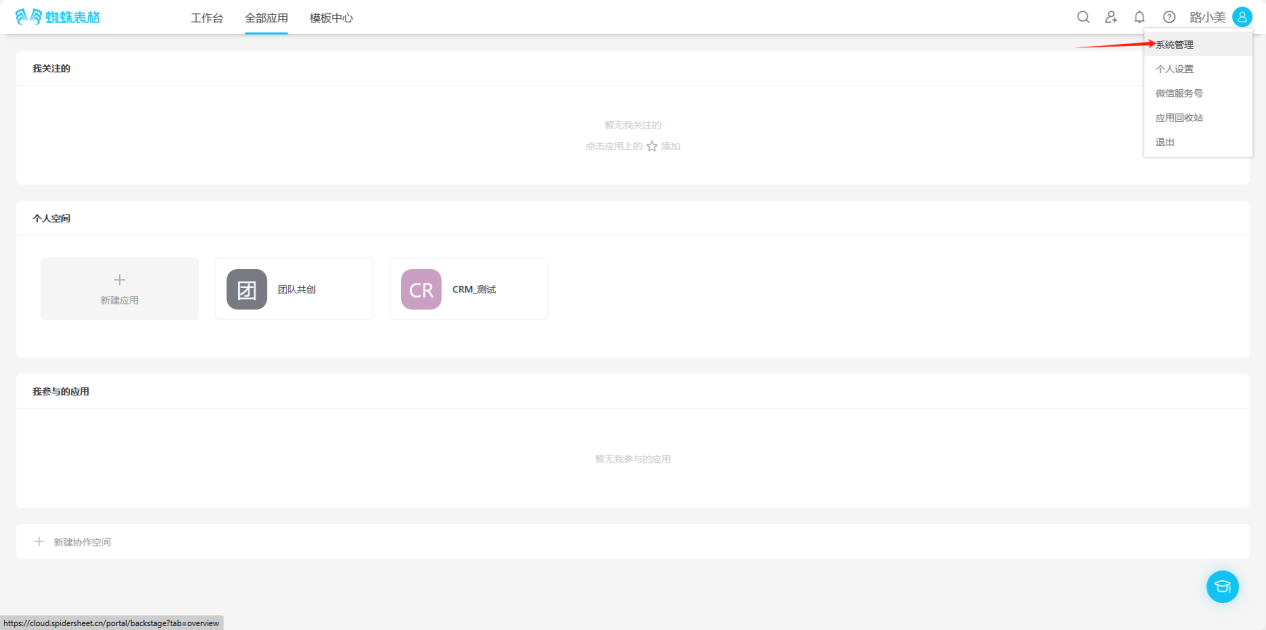
Step 2: Open System Management, select "User Management", then select "Invite Users"
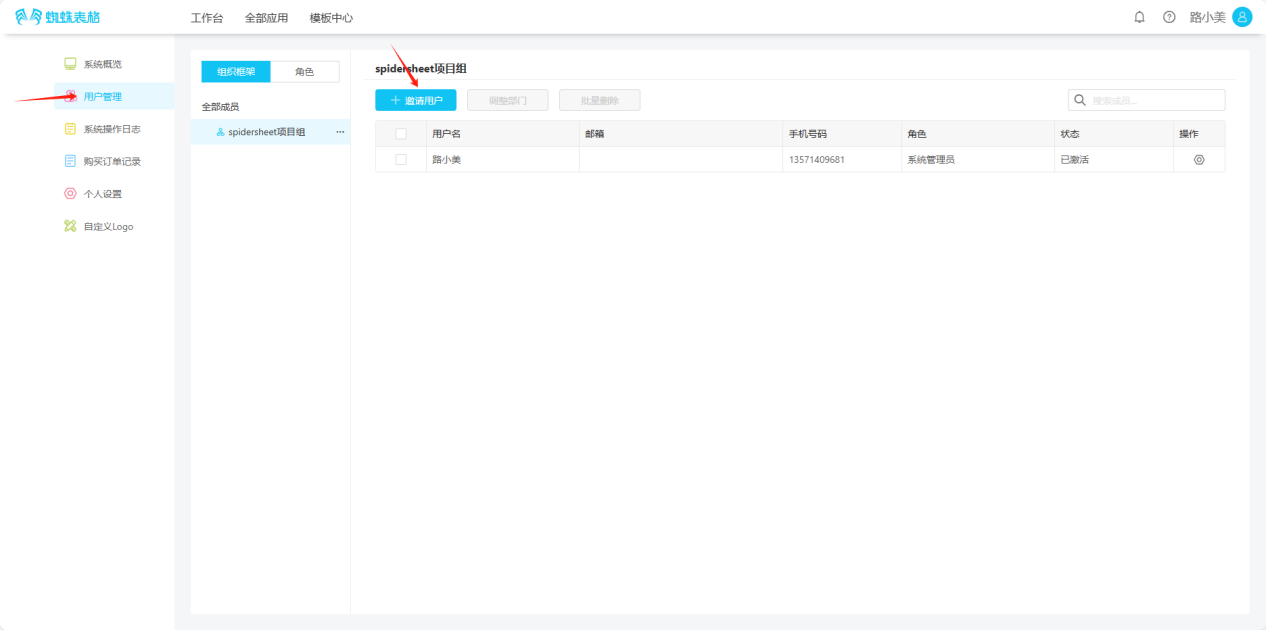
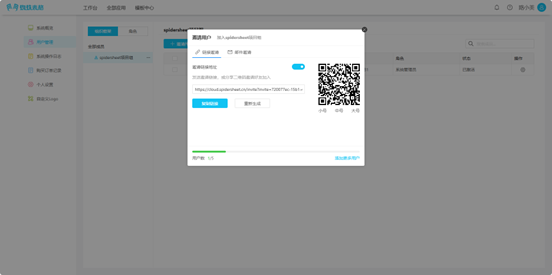
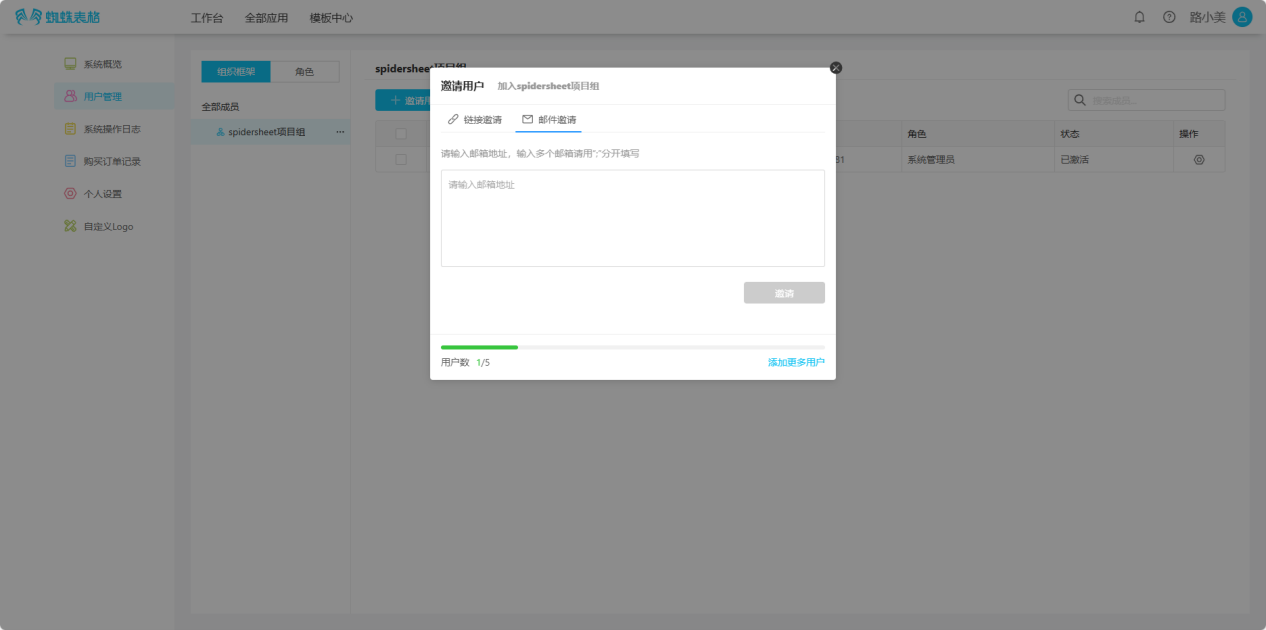
Step 3: Share the QR code, link with others, or invite through email.
3. Join Existing Organization by Invitation
- Join via Invitation Link
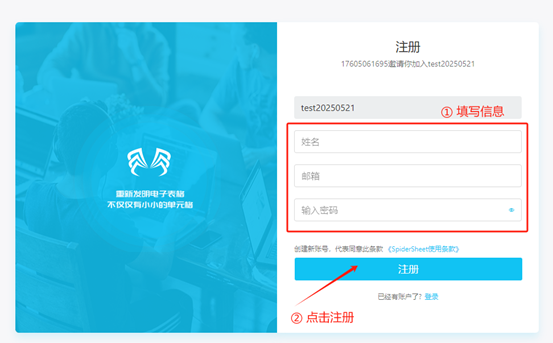
Select the invitation link, organization information will be automatically filled in. Fill in the information and register an account.
- Join via QR Code
Scan the received QR code with WeChat to complete registration.
- Join via Email
Click the link received in your email to complete registration.
4. Login
4.1. Phone Number + Password Login
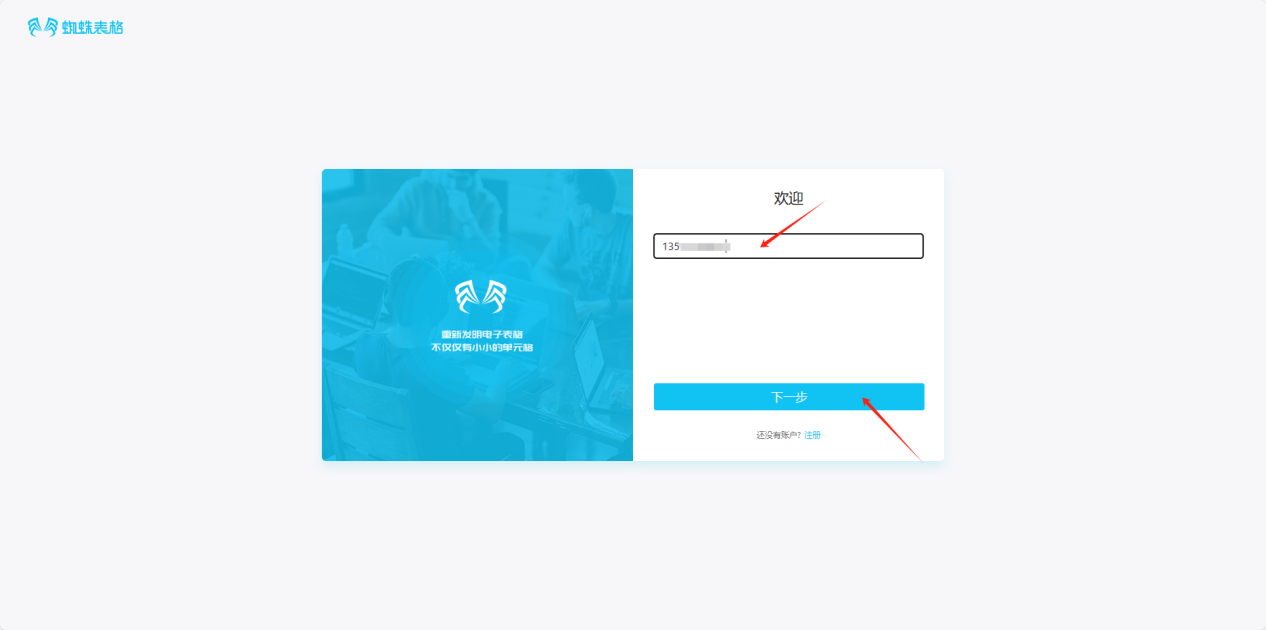
Step 1: Enter your phone number and click "Next"
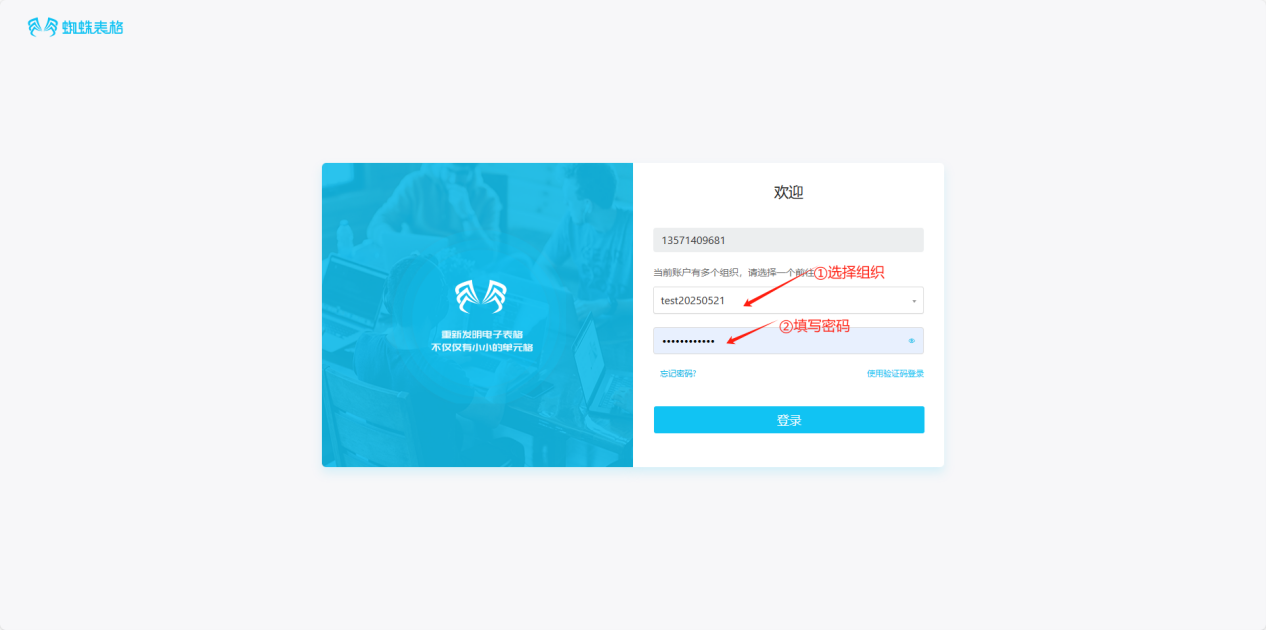
Step 2: Select organization, enter password, click "Login" for successful login.
4.2. Phone Number + Verification Code Login
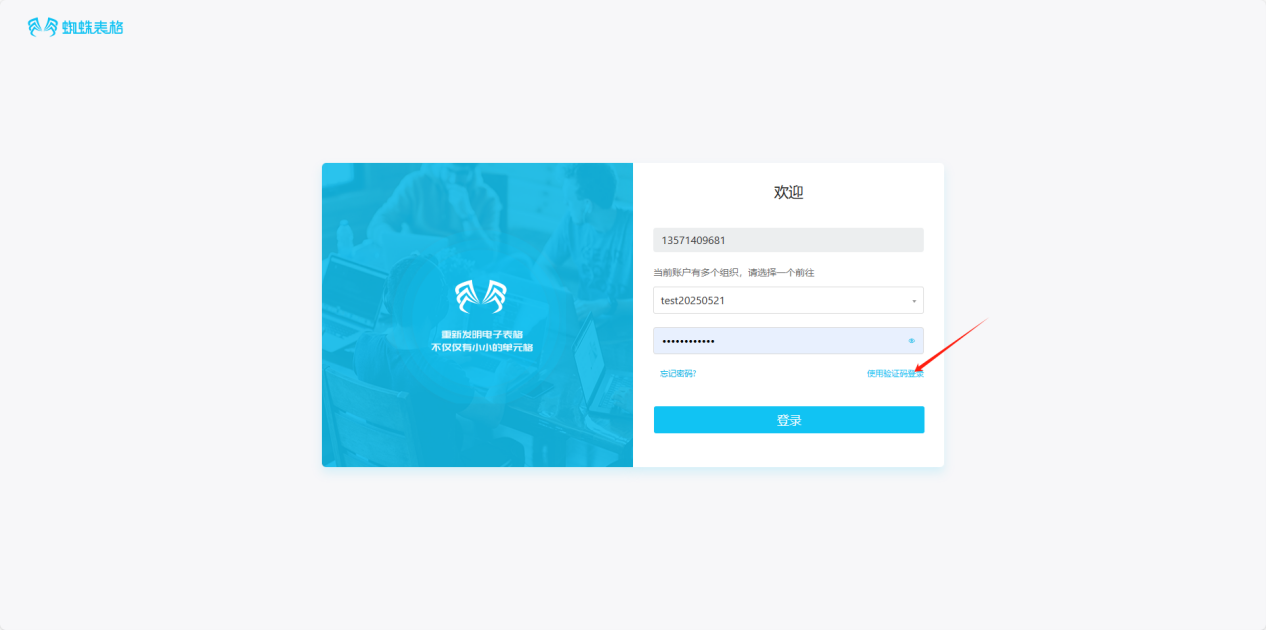
Step 1: Click "Login with verification code" in the bottom right corner
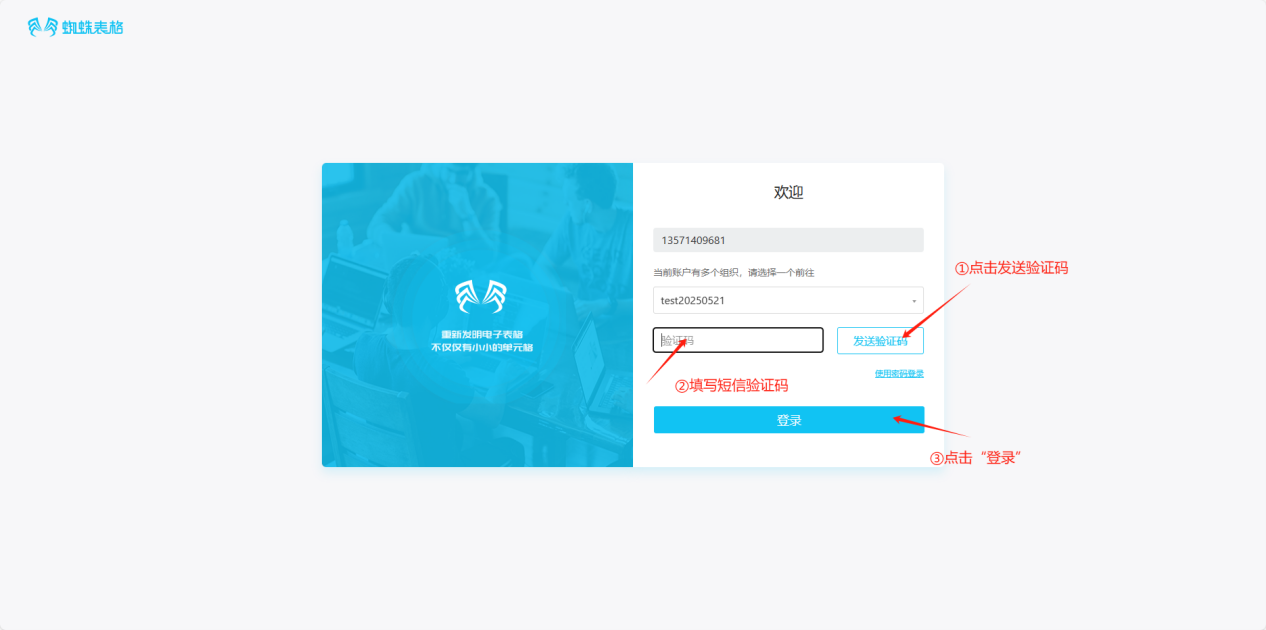
Step 2: Get the verification code in sequence, enter the verification code, click "Login" for successful login.
4.3. Forgot Password
Step 1: Click "Forgot password?" in the bottom left corner
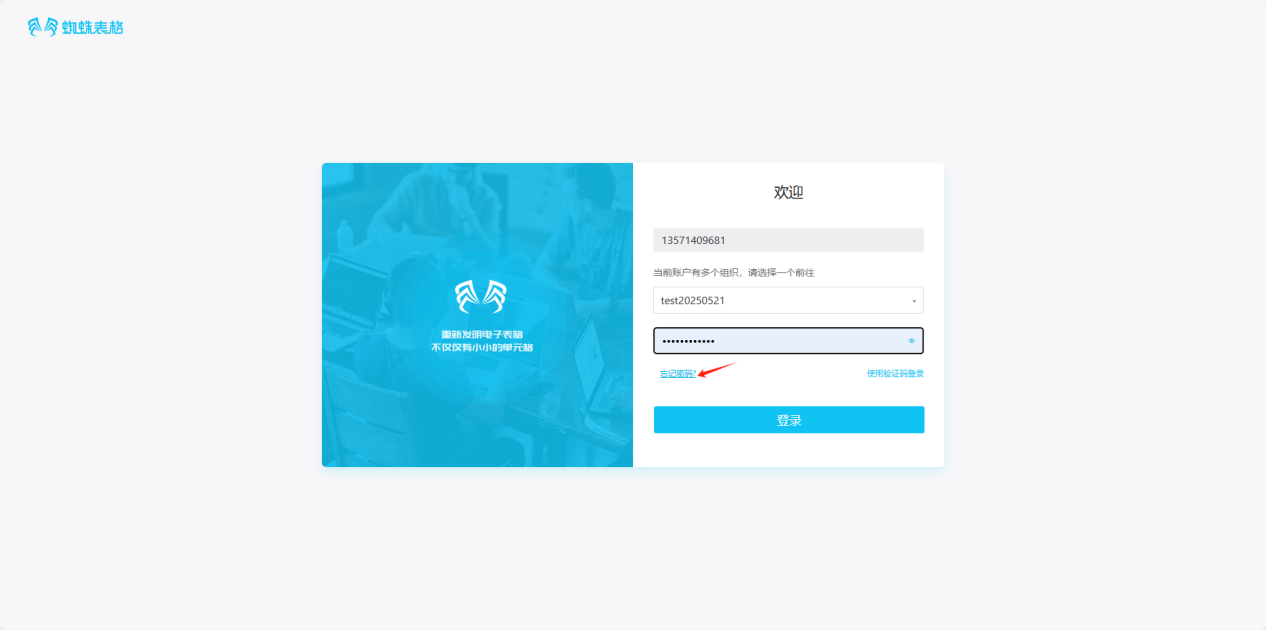
Step 2: Get the verification code in sequence, enter the verification code, enter new password, confirm password, click "Reset Password". After successful reset, log in with the new password.